
ROSTERkey provides a report specifically designed for viewing and exporting data specific to Overtime records.
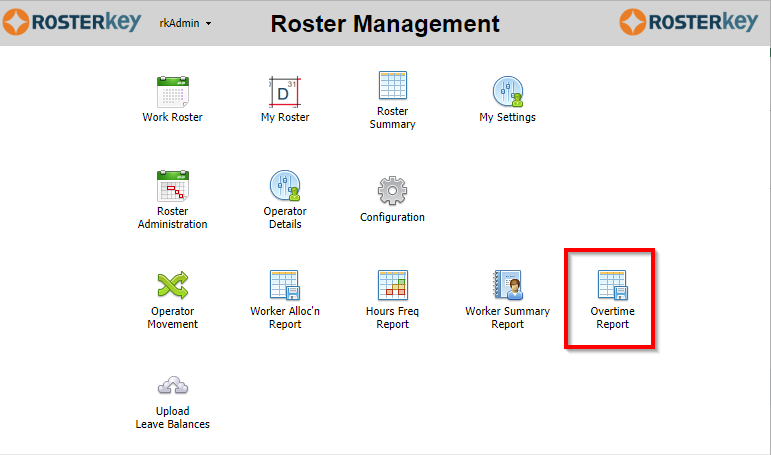

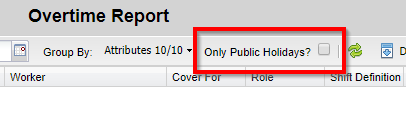
The date range defaults to the three months prior to the current date. You are able to select different attributes to group by and also whether to include ONLY public holidays or not.
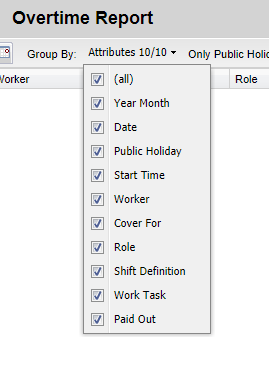 |  |
There are several filters available[1] to further restrict data that is included in the report.
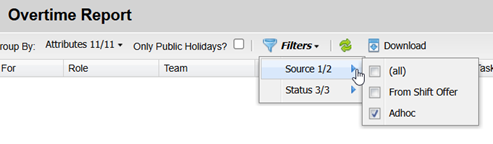 | 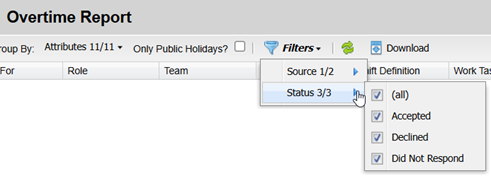 |
When using the Source filter to include "From Shift Offer", the data in the report will include a row for every Shift Invitation matching the report period, regardless of whether Overtime was actually awarded to that Shift Offer or not.
Using "Adhoc" as a Source will include rows matching Overtime records that have been published.
The report includes two new columns, Response and Source. If the data originates from a Shift Offer, the Response column will show how the Worker responded. If it is purely an adhoc Overtime record, i.e. manually created in the Roster Administration page, that column will be blank.
The Source column will show
- "From Shift Offer" if the record originates from a Shift Offer and has not been assigned and published.
- "Adhoc" if it has been manually created and published in the Roster Administration page.
- "Adhoc (SO)" if it originates from a Shift Offer and has been published.
Once your criteria are set, click the green Refresh arrows to generate the report.
 You can also click the Download button the export the data as a ".csv" file.
---