
ROSTERkey allows you to monitor hours of training against specific training goals.
On the "Configuration -> System -> Settings" page you can create "Training Hours Accruals" where hours can be accrued at regular intervals, e.g. 10 per month, or set/reset to specific values, e.g. 60 hours each January 1st.

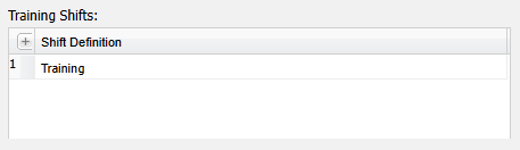
You can also create a list of shifts to be considered as training hours "consumption" shifts, i.e. when training is undertaken on these shifts, it will, by default, be used against the accrued training hours.
When creating or editing Training records on the Roster Administration page, you can flag that Training to be applied against the Training Hours or not:
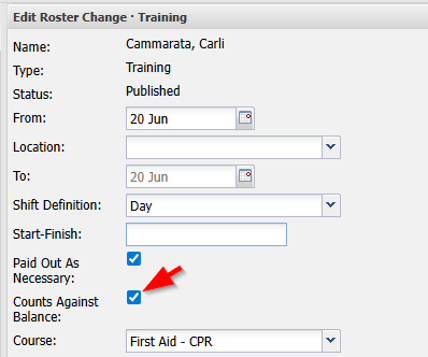
If the Shift Definition selected for the Training has been configured as one of the "Training Shifts" it will be automatically selected as "Counts Against Balance". This can be manually changed as needed.
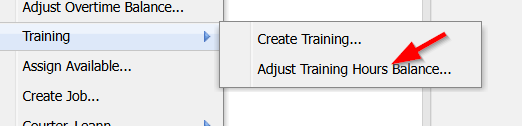
You will also be able to adjust an individual Worker's training hours balance from the right-click menu on the Roster Administration page:
"Training Hours Balances" is a free optional feature. If you wish it to be enabled, please contact your ROSTERkey support representative for further details.