
Overtime Balances can be reported for a selected date.
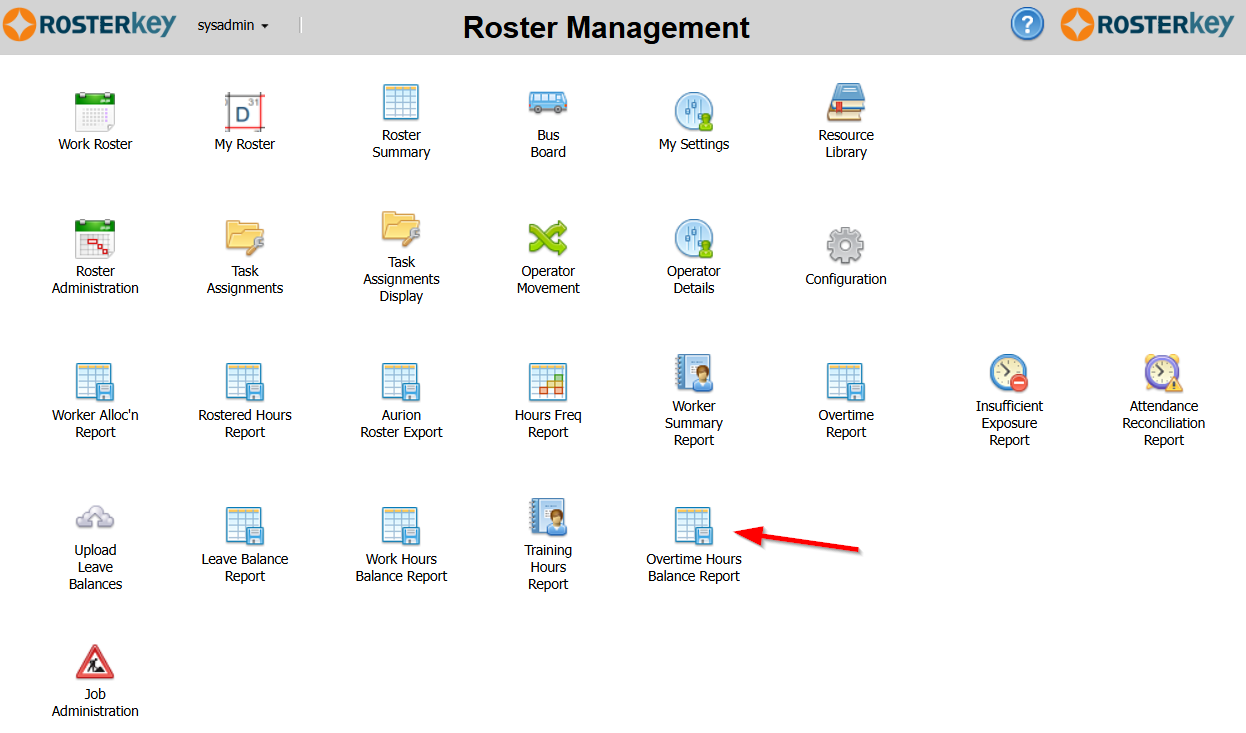
It will show the curernt overtime hours balance for each active worker for the date selected at (1).
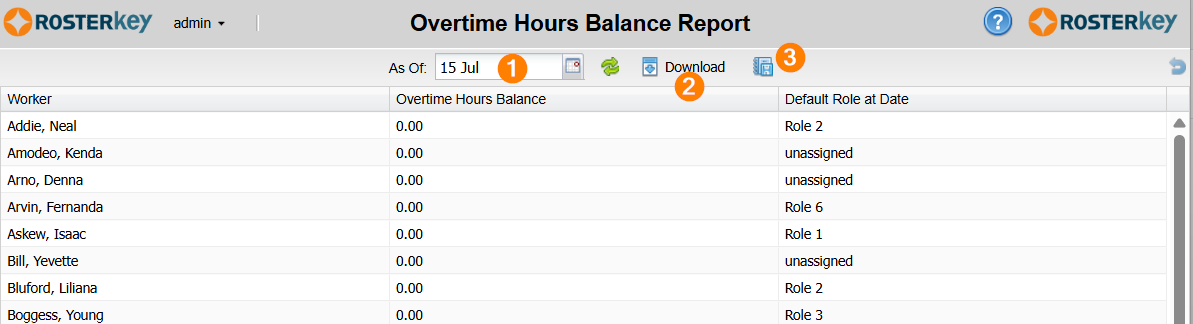
You can also download the report as a ".csv" file (2) or schedule it to run automatically (3).
When scheduling the report you should give it a name (1). If you specify a specific date in the "From" field (2) it will report the balances for that date. If you leave "From" blank, it will report against the date on which the report runs.
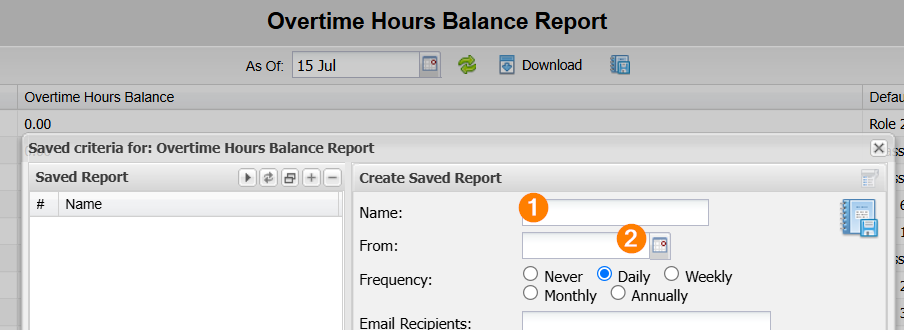
For details on setting up the schedule, see this page.